JPEG XL vs AVIF: benchmarks favour AVIF for most web images
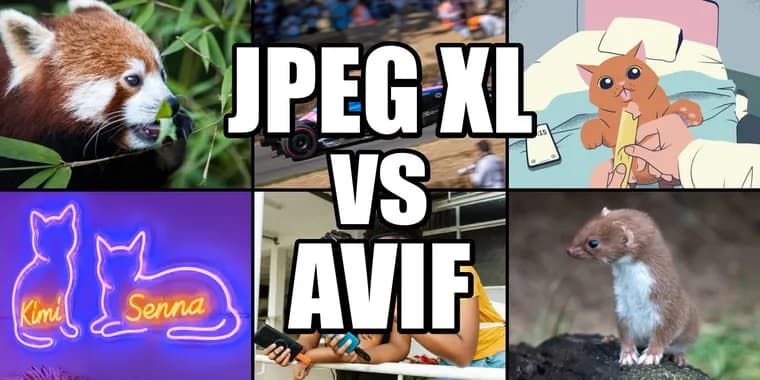
The author of jakearchibald.com says JPEG XL has now landed in all major browsers, so he benchmarked it against AVIF (and, for lossless, WebP) for web use. His bottom line: for web use he would currently default to AVIF 4:4:4 at the highest effort level he can be bothered with, and only look at JPEG XL, via the jixel encoder, if AVIF produces an unusually large file.
The tests used avifenc 1.4.2, libjxl 0.12.0 (via its cjxl encoder), jixel 0.4.2 (a second JPEG XL encoder) and cwebp 1.6.0 for lossless WebP. Most images were encoded to 1598 pixels wide, twice the maximum width images appear on his blog, so they look sharp on high density screens. Quality was matched using SSIMULACRA2 scores, where 50 is medium, 70 high, 80 very high and 90 visually lossless; a second metric, ColorVideoVDP, gave roughly the same picture but put more of a gap between AVIF and JPEG XL. Everything ran on a 2024 MacBook Pro (M4 Pro).
Lossy photos: AVIF almost always produces smaller files. At default effort settings the best JPEG XL version is typically 15-25% larger than the equivalent AVIF; at maximum effort the gap narrows to typically 6-20%. There are outliers where JPEG XL is close or even wins, so for the absolute best result on one image it is worth trying both. The encoder matters: jixel usually beats libjxl on size, except when an image has detailed transparency.
The F1 car image is his typical example. At default efforts the best JPEG XL file is 14-17% larger than AVIF at the same quality. At maximum effort the best JPEG XL (jixel 'extraslow') is 6-15% larger than AVIF at its slowest setting (s0). Jixel's slowest setting can slightly beat AVIF's default effort, with files 1-10% smaller, but it takes 18-27x as long to encode. At default efforts jixel encodes 12-36% faster than AVIF and uses about half the memory, but its files are 14-18% larger. libjxl's default takes 1.5-2x as long as AVIF's and uses 2-3x the memory, with its higher efforts using about 7x. On decoding, JPEG XL takes 2-3x as long as AVIF at medium quality, narrowing to about 1.5-1.8x at very high quality; Safari's JPEG XL decoder is the slowest. He thinks a sudden speedup at very high quality is due to an edge preserving filter that does more work at lower quality settings. He also says that at medium quality (50) the jixel version of the F1 image has visible noise around the BWT logo and a less legible Microsoft text on the front wing, which makes him wonder about the metric.
Effort settings: higher effort pays off for AVIF (s5 gives roughly 10% smaller files for about 3x the encode time) and for jixel up to 'slow' (9-13% smaller than its default 'fast' for about 3.7x the encode time; 'extraslow' saves another 3-8% but takes about 8x longer than 'slow'). Even so, AVIF s5 takes about as long as jixel 'slow' and its files are about 13% smaller. It does not pay off for libjxl: its maximum effort is barely better than its default but takes about 18x longer, and sometimes produces larger files.
Screenshots and illustrations: AVIF is much better. Equivalent JPEG XL files are 30-90% larger at default effort and 20-70% larger at maximum effort. Lossy AVIF handles these well, so lossless formats are only needed for bit-exact results. Images with transparency: the libjxl version is 31-44% larger at default effort and 61-70% larger at maximum effort, while jixel always encodes transparency losslessly, making its files 2-3x the size of AVIF's.
Chroma subsampling: AVIF's 4:2:0 mode (half colour resolution) should not be the default. It rarely shrinks files and makes higher qualities harder to reach, though it is quicker to encode and decode. He advises 4:4:4 if there is no time to check both; the screenshot is an exception. Quality settings are reliable for all the encoders: the resulting quality varies a bit between images, but they all vary in the same direction.
Progressive rendering: jixel recently added early progressive previews for JPEG XL. At its slowest setting they cost little or nothing, but at its default setting files are 12% bigger. Firefox and Chrome support progressive JPEG XL; Safari renders only the final image. He questions whether this kind of progressive rendering is good user experience. AVIF also supports progressive rendering, Chrome-only for now and in progress for Firefox; he says it is more complex, gives more control over the preview, usually yields smaller files and decodes much faster.
HDR: JPEG XL lacks usable gain maps. The format supports them, but browser decoders do not, and the encoding story is messy and experimental. For HDR without gain maps, his two quality metrics disagree a lot, but both say JPEG XL files are smaller than AVIF.
Where JPEG XL wins: it can make existing JPEGs 9-20% smaller without further loss, and is as fast or faster to decode except for small images. For lossless, it is the clear winner: lossless WebP is 9-17% larger for photos and lossless AVIF is 30-120% larger. But he says lossless images are almost never what you want on the web, and warns that jixel's higher efforts often produce files too slow to decode. He also calls animated image formats a dumb idea and asks readers not to use them.
He closes by noting that both AVIF and JPEG XL (via jixel) have improved massively, so the recommendation could change. He says there is a lot of misinformation about this, including from AI assistants, and urges readers to test with their own images. He acknowledges AVIF advocates argue JPEG XL is technically limited, but says he is focused on results from today's implementations.
Key facts
- For lossy photos at default effort, the best JPEG XL is typically 15-25% larger than equivalent AVIF; at maximum effort the gap is typically 6-20%.
- Screenshots and illustrations: JPEG XL files come out 30-90% larger than AVIF at default effort and 20-70% larger at maximum effort. With transparency, libjxl is 31-44% larger at default effort and 61-70% larger at maximum effort.
- JPEG XL typically takes 2-3x as long to decode as AVIF at medium quality, narrowing to about 1.5-1.8x at very high quality on the F1 image.
- JPEG XL wins on lossless (WebP is 9-17% larger for photos, AVIF 30-120% larger) and can shrink existing JPEGs by 9-20% without further loss.
- The author's default for web use is AVIF 4:4:4 at the highest effort he can tolerate, trying JPEG XL via jixel if AVIF gives an unusually large file.
Why it matters
JPEG XL has now landed in all major browsers, according to the author, so developers can finally choose it for real sites. His benchmarks suggest that choice is not obvious: AVIF mostly gives smaller files and faster decoding for the lossy images most sites serve. He also notes there has been a lot of misinformation on the topic, so measured numbers are useful.
Who it affects
Web developers and bloggers choosing an image format for photos, screenshots, illustrations and transparent graphics. Teams that encode images on servers are affected by the encode time and memory findings. People holding large archives of JPEGs, or serving lossless images, are the group where JPEG XL's advantages show up.
How to use it
The author's advice: default to AVIF 4:4:4 at the highest effort you can tolerate, and avoid 4:2:0 unless you have checked it on your images. If AVIF produces an unusually large file, try JPEG XL via jixel and compare. Use libjxl at default effort rather than maximum, since higher efforts are much slower and barely help. For recompressing existing JPEGs or for lossless output, JPEG XL is the better choice. Above all, he says to test with your own images.
How solid is it
The numbers come from the author's own benchmark script, run on a single 2024 MacBook Pro (M4 Pro) with a hand-picked set of images and the latest released encoders (avifenc 1.4.2, libjxl 0.12.0, jixel 0.4.2, cwebp 1.6.0). Results are given as typical ranges, not as universal figures. Quality was matched with two metrics (SSIMULACRA2 and ColorVideoVDP), and the author himself says one jixel result makes him doubt the metric. This account rests mainly on his headline conclusions plus the methodology and F1 image sections.
Risks and caveats
The recommendation applies to today's implementations and the author says it could change, as both AVIF and jixel have improved massively recently. He notes that AVIF advocates claim JPEG XL is technically limited, which he does not test. Outliers exist where JPEG XL matches or beats AVIF, so one image may behave differently from the typical case. Progressive rendering support is uneven: Safari shows no progressive JPEG XL previews, and AVIF progressive rendering is Chrome-only for now. JPEG XL gain maps for HDR are not supported by browser decoders.
“I'd currently default to AVIF 4:4:4, with the highest effort level I can be bothered with.”
— Author of jakearchibald.com, on his web default