OpenAI launches dots, always-on agents powered by GPT-6 Astra
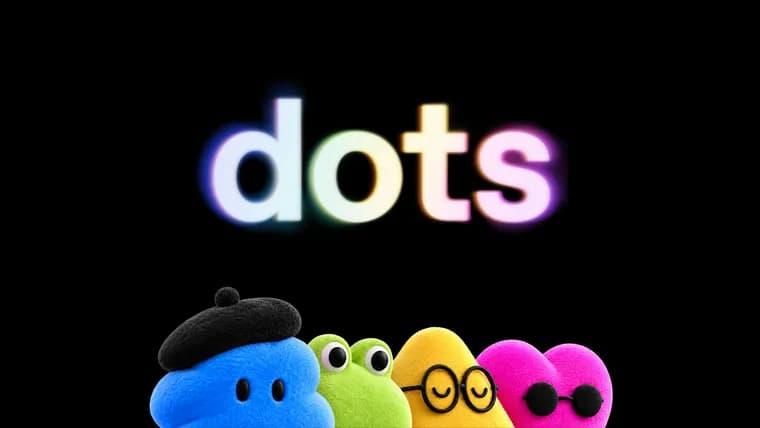
OpenAI has introduced "dots", which it describes as always-on agents built to handle everything. Powered by GPT-6 Astra, each dot has its own cloud computer, learns from feedback over time and can work towards a user's goals 24/7. Through OpenAI's plugin ecosystem a dot can connect to over 4,000 apps.
A dot is reachable through ChatGPT (desktop, web and mobile), Slack or Teams, and users can also hop on a voice call with it. Texting is described as coming soon. OpenAI says dots carry context across every channel, and that the more a user works with one, the more it learns their preferences, how they think and what good looks like to them. Dots can also message the user with progress, questions or decisions that need them. Users can start with a primary dot, give it a name and make it their own. Over time, OpenAI says it envisions teams of dots working together on the user's behalf.
Dots work on their own cloud computer with their own browser and the apps the user has connected. The user can open the dot's computer at any time to inspect its work. A dot can also connect to other devices, and the user can give it permission to use their laptop. It can run with one project while working on several others, without the user juggling separate threads.
OpenAI gives examples from inside the company: a bug appears in Slack and dots start investigating immediately; a new design arrives and dots turn it into a working app; during a planning cycle dots keep everyone in sync toward the deadline. Outside OpenAI, an early tester's dot noticed he had forgotten to invoice a publication, prepared the invoice and sent it after his approval.
When the user is not actively working with it, a dot does what OpenAI calls "proactive research": it looks for ways to help in the background using the connected apps, but only through read-only tools that cannot send messages, change app content or control the browser or computer. Dots start with built-in rules for when to act on their own and when to ask for approval. Custom Rules let users allow specific actions, require approval or block them, and an Activity View shows progress, including background work. Dots use auto-review to check actions that could affect accounts or share information against the user's instructions, Custom Rules and safety requirements. Certain sensitive tasks, such as changing a password, always stay with the user. For supported websites, dots can use saved passwords without exposing them to the model. If OpenAI's monitoring system detects a safety concern, it can pause or stop the dot's work.
On data use, OpenAI says it does not use content from ChatGPT Business, Enterprise or Edu workspaces to improve its models by default. On personal ChatGPT plans, users can control whether their dots' conversations and work are used for that. OpenAI does not train directly on proactive research or a dot's notes to itself, though information from them may be used if it helps inform an eligible conversation or task, depending on settings.
Availability: dots are rolling out today in ChatGPT to Pro and Business Premium users in eligible markets. Enterprise users, including Edu and Healthcare, can try the beta when their workspace admin enables it. OpenAI plans to expand to more users soon. The first dot is included in Pro or Business Premium at no extra cost, and the plan includes an allowance for deeper work with extended limits for the first month after launch. In the future, users will be able to add more dots and scale each one's output by speed or by the total work it can take on per month. Conversations with a dot do not count toward ChatGPT usage limits, but tasks it starts or manages in Codex or ChatGPT Work count as usual. To start, users create a first dot in the ChatGPT desktop app or desktop browser, connect their apps and let it introduce itself; after setup they can message it in the ChatGPT mobile app.
For organizations, OpenAI is also sharing a preview of specialist dots. These have their own identity for access management, IT-provisioned hardware and support for deep integrations with a company's systems of record, so they can take on well-defined responsibilities. The company sets up each one with its own identity, credentials and system access. OpenAI is starting with focused enterprise pilots in which its engineering teams work directly with organizations to define each dot's responsibilities, tools and review process. It draws on early internal testing across procurement, invoice processing, email marketing, customer support and commercial contracting. OpenAI is also working with Microsoft to integrate specialist dots with enterprise governance and security controls in Agent 365, so businesses can manage dots through Microsoft tools they already use.
Key facts
- Dots are always-on agents powered by GPT-6 Astra, with their own cloud computer and browser, able to connect to over 4,000 apps via plugins.
- A dot is reachable through ChatGPT, Slack or Teams, with voice calls available and texting coming soon.
- Rollout starts in ChatGPT for Pro and Business Premium users in eligible markets; the first dot is included at no extra cost, and Enterprise users can try a beta if their workspace admin enables it.
- Between sessions a dot does read-only "proactive research"; auto-review, Custom Rules, an Activity View and a monitoring system that can pause or stop its work govern what it does.
- Specialist dots for organizations start as focused enterprise pilots, with a planned Microsoft Agent 365 integration.
Why it matters
Dots move ChatGPT from an assistant that answers when asked to an agent that keeps working between conversations, on its own cloud computer, and sometimes acts before the user thinks to ask. OpenAI frames this as a whole new way to work with AI, with the agent learning the user's preferences over time. It also extends the same idea to organizations through specialist dots that hold their own identity and credentials and take on defined responsibilities.
Who it affects
First, ChatGPT Pro and Business Premium users in eligible markets, where the rollout begins. Enterprise users, including Edu and Healthcare, can try a beta once their workspace admin enables it. Companies interested in specialist dots would come in through the focused enterprise pilots, where OpenAI engineering teams work with each organization; the areas OpenAI names from internal testing are procurement, invoice processing, email marketing, customer support and commercial contracting. Businesses that manage software through Microsoft tools are also in view, given the Agent 365 work.
How to use it
Create your first dot in the ChatGPT desktop app or your desktop browser, connect your apps and let it introduce itself. Afterwards you can message it in the ChatGPT mobile app, and also in Slack or Teams. You can name it, set Custom Rules to allow, require approval for or block specific actions, and follow its work in Activity View. The first dot is included in Pro or Business Premium at no extra cost, with extended limits on the deeper-work allowance for the first month after launch. Conversations with a dot do not count toward ChatGPT usage limits, but tasks it starts or manages in Codex or ChatGPT Work do. Adding more dots and scaling their output is described as a future option.
How solid is it
This is OpenAI's own launch announcement, so every capability and safeguard described is the company's claim. The examples are OpenAI's internal use and one unnamed outside early tester. The announcement gives no benchmarks or technical details of GPT-6 Astra, no user numbers, and no calendar dates for the wider expansion, texting support or teams of dots. It refers to a system card and a safety blog for more on the safety approach. Specialist dots are presented as a preview and pilots rather than a general release.
Risks and caveats
OpenAI itself says dots can still make mistakes and that users should always review consequential work. Giving an agent its own cloud computer, connected apps, saved-password sign-in and optional laptop access widens what can go wrong, which is why OpenAI describes read-only tools for background research, auto-review, approval rules, built-in security safeguards against malicious instructions, and a monitor that can pause or stop a dot. Some tasks, such as changing a password, always stay with the user. Information from a dot's proactive research and notes may inform eligible conversations or tasks depending on settings, and on personal plans users control whether dots' work is used to improve models. Availability is limited to eligible markets, and the list of those markets is not given.
“Dots can still make mistakes, so always review consequential work.”
— OpenAI, introducing dots