whatsapp-mcp lets AI agents read your WhatsApp chats via Cloudflare
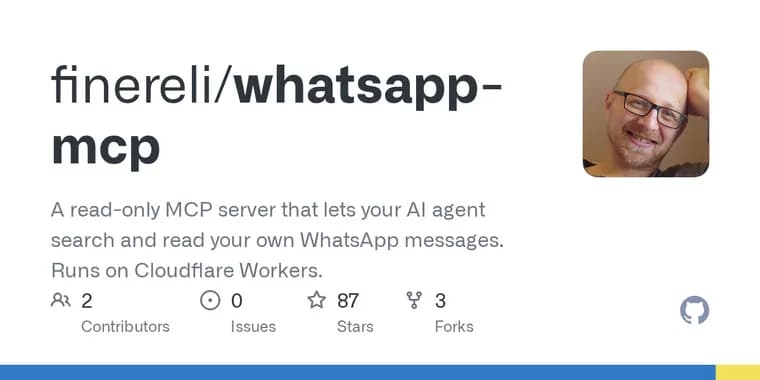
whatsapp-mcp is a GitHub project (account finereli) shown on Hacker News as a Show HN. It is a small server that runs in your own Cloudflare account. You link your phone to it once, the way you would link WhatsApp Web, and after that any MCP client (the README names Claude Code and Claude Desktop, and says anything that speaks MCP works) can search and read your chats. The server can read and search messages and remember names you give it for phone numbers. It can't send anything. The README suggests prompts such as "What did Dana say about the flights?", finding every message that mentions a lease across all chats, or summarizing what you missed in a family group this week.
The phone stays the source of truth; the server is just another linked device. It does not stay connected to WhatsApp. When the agent asks for something, and once a day, it connects, collects whatever WhatsApp queued for it since last time, writes that to its own database and disconnects. The phone keeps working normally and keeps getting notifications. Messages live in a SQLite database inside a Durable Object in your Cloudflare account, and the README says nothing goes anywhere else. Every read tool first tops up from WhatsApp if the stored copy is more than ten minutes old.
Setup needs a Cloudflare account on the Workers Paid plan, Node 20 or later, and your phone. You clone the repo, run npm install, create a KV namespace for sign-in tokens (npx wrangler kv namespace create OAUTH_KV) and paste its id into wrangler.jsonc, set an OWNER_PASSWORD secret of 12 or more characters, and run npm run deploy. Wrangler prints a workers.dev URL. The front page then walks you through linking WhatsApp (scan a QR code under Settings, Linked Devices, or use the phone-number option if you are on the phone itself) and connecting your agent. In Claude Code that is claude mcp add --transport http whatsapp https://your-url/mcp, then /mcp and signing in with the password. The first link imports your history, with a progress page you can close.
The paid plan is needed because importing a large history decodes a lot of data at once and the default Workers CPU limit is too small; wrangler.jsonc raises it, which requires the paid plan at, in the author's words, a few dollars a month. The author has not tried the free plan and expects the first import to be fragile there.
The README is blunt about limits. It is unofficial: WhatsApp has no API for reading your own personal messages, so the project uses the protocol WhatsApp Web uses through the open-source library Baileys, which is against WhatsApp's terms. For a linked device that only reads, the author calls the practical risk low but not zero. The first link imports only whatever history WhatsApp decides to hand a new device, which may not be everything, and only once per link. Relinking keeps stored messages and a re-import fills in anything missing. Some chats show as phone numbers because WhatsApp does not give a linked device every contact name. The server never connects to a contacts service; instead the agent calls unnamed_chats, matches numbers against contacts using whatever contacts tool it already has, and saves names with set_contact_names. The README says it won't find everyone, since most unnamed chats are a single message from a stranger. Media is not downloaded: photos, voice notes and documents appear as labels like [image] or [voice note 12s], with the caption if any, and nothing is transcribed. One deployment is one WhatsApp account and one owner, deliberately, because each deployment holds a full message history and a live login.
The second half of the README is for developers. A Worker (src/index.ts) handles OAuth, the /mcp endpoint and the pairing pages, and a cron trigger at 04:00 UTC runs pull(). One Durable Object, named "owner", holds a SQLite database with auth keys, messages, chats, contacts and an FTS5 full-text index, and opens the Baileys socket only during a session. Getting Baileys to run on Cloudflare's workerd runtime takes three shims: one for ws (wrapping the Workers WebSocket), one for whatsapp-rust-bridge (whose base64 wasm workerd forbids compiling at runtime), and one for timers (adding .unref()). It also turns off lru-cache autopurge, because workerd allows 10,000 pending timers per object and the first history sync exceeds that. Other notes: history arrives only once per link, so a failed first import means the history is gone until you relink; Baileys must be pinned exactly because it is a prerelease whose API moves between release candidates; a Durable Object with an active session keeps running old code after a deploy, so after shipping a fix you should stop sending it requests and wait three to five minutes; and markOnlineOnConnect is deliberately false, because marking the linked device online makes the phone stop showing notifications.
Key facts
- whatsapp-mcp runs in the user's own Cloudflare account as a linked WhatsApp device; any MCP client, including Claude Code and Claude Desktop, can search and read chats, but the server can't send anything.
- Messages are stored in a SQLite database inside a Durable Object in the user's account. The server connects only on request and once a day (cron at 04:00 UTC), and reads top up first if the stored copy is more than ten minutes old.
- It needs the Cloudflare Workers Paid plan (the author says a few dollars a month) to raise the CPU limit for the first history import, plus Node 20 or later; the author hasn't tried the free plan.
- It uses the WhatsApp Web protocol via the Baileys library, which the README says is against WhatsApp's terms; the author calls the practical risk low for a read-only device, but not zero.
- Limits: the first link imports only the history WhatsApp chooses to send, once per link; media appears only as text labels; one deployment serves one account and one owner.
Why it matters
WhatsApp has no API for reading your own personal messages, so agents normally cannot reach that history. This project gets around that by acting as a linked device, the same mechanism as WhatsApp Web, and exposes the result through MCP so an agent can answer questions across all of a person's chats. The design choice the README stresses is that the data stays in a database in the user's own Cloudflare account rather than with a third-party service, and that the server is read-only.
Who it affects
People who want a Claude Code or Claude Desktop style agent to search their own WhatsApp history, and who are comfortable deploying a Cloudflare Worker. It is built for one person: one deployment is one WhatsApp account and one owner, and the README says everyone should run their own. Developers who want to fork it get a detailed set of notes on running Baileys under workerd.
How to use it
Clone github.com/finereli/whatsapp-mcp, run npm install, create the OAUTH_KV namespace with wrangler and paste its id into wrangler.jsonc, set OWNER_PASSWORD (12 or more characters) with wrangler secret put, then npm run deploy. Open the printed URL, scan the QR code under Settings, Linked Devices, Link a Device (or use the phone-number option), and wait for the history import; you can close the progress page. Then, in Claude Code, run claude mcp add --transport http whatsapp https://your-url/mcp, type /mcp and sign in with the password. Other MCP clients point at the same /mcp URL. To name number-only chats, ask the agent to find names for your unnamed chats. A Cloudflare Workers Paid plan is required, at what the author calls a few dollars a month.
How solid is it
The only source is the project's own README, so every claim about privacy, behaviour and cost is the author's. The text names no author or maintainer, only the GitHub account in the URL. The README is candid about unknowns (the free plan is untested) and about fragile spots in the code, and it warns that ingest changes should be tested against a real first link. No independent security audit or review of the project is mentioned. The project depends on Baileys, a prerelease whose API moves between release candidates. The README text available here is cut off before the end of its developer section.
Risks and caveats
The README says the approach is against WhatsApp's terms; the practical risk for a read-only linked device is called low but not zero, and users are told to use it on their own account and never to send messages with it. The server holds a full message history and a live login to the account, which is why the README insists each person runs their own deployment. The first import is a one-shot: WhatsApp decides how much history to send, it may not be everything, and a failed first import loses that history until you relink. Media is not downloaded or transcribed, and some chats will show as bare phone numbers unless the agent can look them up. Running on the free Cloudflare plan is untested and expected to be fragile.
“It can read and search your messages, and remember names you give it for phone numbers. It can't send anything.”
— whatsapp-mcp README