Ableton Live 13 adds Step Sequencer, Drum Synth and Device Slots
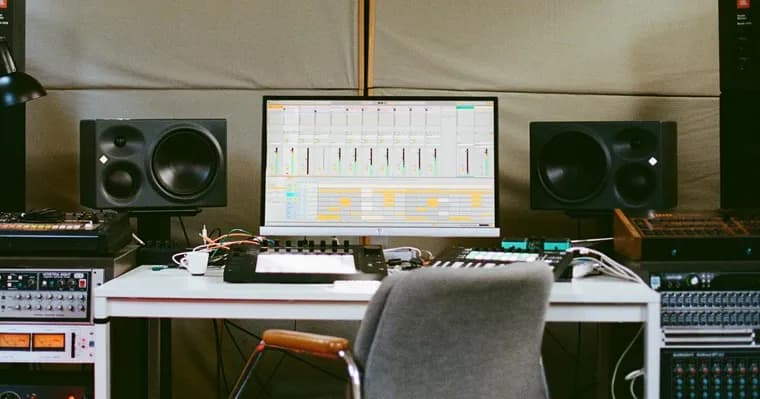
Ableton Live 13 adds new audio and MIDI workflows, sound design tools and mixing effects, according to Ableton's own product page. The page groups the changes into a list of highlights.
On the workflow side, Live 13 gets a built-in Step Sequencer, support for ARA 2 in compatible audio-editing plug-ins, Capture Automation, and Contextual Browsing, which lets users add devices and swap presets directly from the device chain.
For sound design and effects, the release brings Drum Synth, new Multiband and Mid-Side Racks, expanded Rack controls, and Envelope Clips for automating and modulating effects on return tracks. The Core Library grows too: new Drum Racks, instrument presets, Audio Effect Racks, samples and MIDI clips arrive alongside Device Slots in the mixer.
On timing and export, Live 13 adds Arrangement Sync for Ableton Link, support for exporting tempo automation and time signature changes, and more precise event timing in exported MIDI files.
The mixer also gets smaller changes: Send sliders, a persistent Mixer Configuration menu for choosing which sections are visible, smoother mixer resizing, and an Unsolo button on the Main track. The Phaser-Flanger interface has been updated as well.
Live 13 Suite additionally includes Melodyne essential, Looplet, Clipper, Transient Shaper and the Classic Dynamics & EQ Pack by Softube. The page points to the full Release Notes for every change.
Key facts
- Live 13 adds a built-in Step Sequencer, Drum Synth, Capture Automation and Contextual Browsing for adding devices and swapping presets from the device chain.
- Compatible audio-editing plug-ins can use ARA 2, and Arrangement Sync for Ableton Link is new.
- MIDI export now supports tempo automation and time signature changes, with more precise event timing.
- The mixer gets Device Slots, Send sliders, a persistent Mixer Configuration menu, smoother resizing and an Unsolo button on the Main track.
- Live 13 Suite also includes Melodyne essential, Looplet, Clipper, Transient Shaper and the Classic Dynamics & EQ Pack by Softube.
Why it matters
Live is a music-production application, and a major version number brings a batch of changes to everyday work. Ableton frames Live 13 around three areas: audio and MIDI workflows, sound design, and mixing. A built-in Step Sequencer and Drum Synth put beat-making tools inside the program itself, while ARA 2 support lets compatible audio-editing plug-ins work with it. The story is not about AI; the page mentions no AI or machine-learning features.
Who it affects
Producers and musicians who work in Live are the main audience. Users who sync tempo across devices benefit from Arrangement Sync for Ableton Link. Those who move projects into other software get tempo automation, time signature changes and more precise event timing in exported MIDI files. Buyers of Live 13 Suite also get the bundled extras: Melodyne essential, Looplet, Clipper, Transient Shaper and the Softube Classic Dynamics & EQ Pack.
How to use it
Several additions are about speed inside the existing interface. Contextual Browsing lets you add devices and swap presets straight from the device chain. Envelope Clips automate and modulate effects on return tracks. The mixer now offers Device Slots, Send sliders and a persistent Mixer Configuration menu that sets which sections are visible. Drum Synth, the new Multiband and Mid-Side Racks and the new Core Library Drum Racks, instrument presets, samples and MIDI clips give starting points for sound design. The page refers readers to the full Release Notes for every change. It gives no prices, upgrade pricing or edition price comparison, and no system requirements.
How solid is it
The only source is Ableton's own product page, so everything here is the vendor's description of its software. It is a list of features, with no benchmarks, user numbers or reactions. The page does not say what Live 12 or earlier versions lacked, or which items are available in which edition apart from the Suite list.
Risks and caveats
The page gives no release date or availability date, and no supported platforms. Because it does not say which features belong to which edition other than the Suite extras, readers cannot tell from it what each edition includes. The full Release Notes are referred to but not reproduced, so details beyond the highlights, such as how each tool behaves, are not covered here.