Guide: run Qwen3.8-27B at home with Unsloth Desktop on Windows
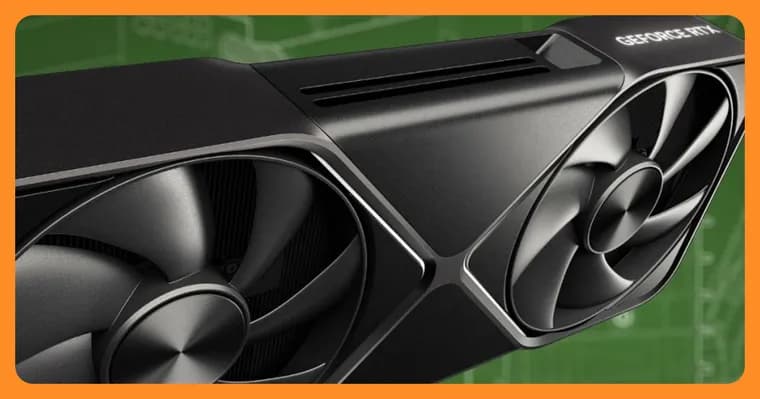
Jerry James, writing on the GPUPartner blog, has published a beginner's guide to running an AI model at home on a Windows PC. His motivation is the cloud: he argues that with open-weight models like Qwen, cloud providers look more like infrastructure for routine tasks, and says OpenAI and Anthropic have shown a pattern of dropping model quality in the 'latest' version and controlling what you may run. He gives no evidence for that claim. Add costs and privacy worries, he writes, and there is a case for leaving the cloud. He wanted to offload token-heavy research, data collection and coding work without watching usage limits, so he built a local replacement for Claude and ChatGPT.
The setup needs three things: a Windows PC with a GPU (more video memory means a bigger model; he uses an RTX 5090 with 32GB VRAM), Unsloth Desktop, a free app that serves the model through a chat interface, and a model sized to the GPU. No terminal commands, Python environments or subscriptions are required. Once the hardware is sorted, he says it takes about 10-15 minutes, excluding downloads. He picked Unsloth Desktop over LM Studio mostly because he liked the name, and because it did not push a subscription.
On sizing, his rough guide is that 8-12GB of VRAM handles smaller 9B-12B models, while 32GB comfortably runs 27B-35B models with room for long conversations. The full-size Qwen model is around 56GB, which will not fit a consumer card, so quantization comes in: compressing weights to lower precision trades some accuracy for a model that fits the GPU and runs faster. Some workloads do not care and give similar outputs; others may be nearly unusable. A table in the guide pairs VRAM tiers with suggested quantizations and context sizes, from 8-12 GB cards (8K-16K context) up to 32 GB and above (UD-Q4_K_XL or Q6_K, 64K-128K+). For mixture-of-experts (MoE) models, which run only a few billion parameters per token, the rest can sit in system RAM; the site's calculator puts Qwen3.6-35B at about 47 tokens per second on an RTX 5060 Ti 16GB that way.
The walkthrough has three steps. Step 1: install Unsloth Desktop. Step 2: pick Qwen3.8-27B from the model drop-down at top left and download Unsloth's UD-Q4_K_XL quantization; the smaller M and S versions exist, but he says XL behaves much closer to the full-size model without filling the VRAM. He chose 4-bit over a bigger model so there would be room for a larger context window. Step 3: click the gear icon next to the downloaded model and set the context size, or leave it on Auto. He sets 128K (unquantized) and may reassess after running the model through routine tasks for a few weeks. He remarks that an RTX 5090, which he calls hilariously overpriced, is still not a terrible deal for this; the alternative is much costlier enterprise GPUs.
A section covers Thinking Machines Lab's Inkling 2, released November 17, 2026. Inkling 2 Mini has 26.4B parameters, an Apache 2.0 licence, vision support and a 1M-token context. Unsloth's recommended UD-Q4_K_XL file is 17.6 GB, within 0.1 GB of the Qwen3.8-27B file, so it fits a 32GB card the same way and leaves about 14GB for context. Nothing else in the guide changes, except that Unsloth Desktop must be updated first because Inkling 2 needs a recent build. Unsloth's memory figures, which count RAM and VRAM together and cover the model alone, are 10-11 GB for 2-bit, 13-15 GB for 3-bit, 17-18 GB for 4-bit (recommended) and 24 GB for 8-bit. Because Mini is a MoE model with 5.4B parameters active, the 4-bit file also runs on a 16 GB card with the rest in system RAM, a little slower. Inkling 2 Small is a 594B model whose smallest Unsloth file is 171.7 GB, which is unified-memory territory such as a 256GB Mac Studio or a DGX Station, not a graphics card. His verdict: "Inkling 2 Mini, yes. Inkling 2 Small, no."
Macs with unified memory are a workable alternative, good with larger models though not the fastest; he advises the MLX build made for Apple Silicon. The same trade applies to unified-memory PCs such as the MSI PRO MAX EDGE AI+ 11M and NVIDIA's DGX Spark.
To share the model at home, open Unsloth Desktop settings (gear icon, bottom left), go to the 'Remote & LAN' tab, set a Remote password, and press 'Start' under LAN access. The app shows an address anyone on the home network can open in a browser; they sign in as 'unsloth' with the Remote password. The PC must stay on with Unsloth running. Everything is limited to the local network; internet access is not possible with this setup alone. He says later parts will cover performance, tunneling and a locally run agent that uses only the web tools you allow, and he invites suggestions for agentic harnesses and models.
Key facts
- The guide uses Unsloth Desktop, a free app, with a 4-bit (UD-Q4_K_XL) Qwen3.8-27B on a Windows PC with an RTX 5090 (32GB VRAM) and a 128K context; the author estimates 10-15 minutes of setup, excluding downloads.
- Quantization trades some accuracy for a model that fits the GPU and runs faster; the full-size Qwen model is around 56GB and will not fit a consumer card.
- Inkling 2 Mini (26.4B parameters, 5.4B active, Apache 2.0, 1M-token context, released November 17, 2026) fits the 32GB card: its 17.6 GB UD-Q4_K_XL file leaves about 14GB for context.
- Inkling 2 Small is a 594B model with a smallest file of 171.7 GB, so it needs unified memory such as a 256GB Mac Studio or a DGX Station.
- LAN sharing is built in: set a Remote password, press Start, and others sign in as 'unsloth' from a browser; internet access is not covered yet.
Why it matters
The guide is a practical case for moving routine AI work off the cloud: no subscription, no usage limits, and data that stays on a home machine. It also ties the setup to a very recent release, Thinking Machines Lab's Inkling 2 Mini from November 17, 2026, and shows that its 17.6 GB 4-bit file sits on a 32GB card much like Qwen3.8-27B does. The argument that OpenAI and Anthropic degrade their latest models is the author's opinion, and the text offers no examples for it.
Who it affects
Beginners who want a private ChatGPT-style assistant on a Windows PC, and households that want everyone on the home network to share one. The hardware is the barrier: the author uses an RTX 5090 with 32GB VRAM and calls it overpriced. Smaller cards (8-12GB, 16GB, 24GB) can still run smaller or MoE models, and Mac or unified-memory PC owners have their own route via MLX builds.
How to use it
Install Unsloth Desktop (free, no terminal or Python work). Pick a model that fits your VRAM; the author's rough guide is 8-12GB for 9B-12B models and 32GB for 27B-35B models. Choose a 4-bit quantization, set the context size with the gear icon (128K in his case, or Auto), and chat inside the app. To share it, open Settings, 'Remote & LAN', set a Remote password and press Start under LAN access. For Inkling 2 Mini, update Unsloth Desktop first, then search for it in the same model drop-down. GPUPartner's VRAM Calculator can estimate what fits.
How solid is it
This is a first-person walkthrough by Jerry James on the publisher's own blog, and the site's own calculator supplies the speed figure. That figure, about 47 tokens per second, is an estimate for Qwen3.6-35B on an RTX 5060 Ti 16GB. No measured speeds for the RTX 5090 are given. The author reports no results from using the model yet; he says he may reassess after running routine tasks for a few weeks. Model sizes and release details are cited to Unsloth and the model pages listed in the post's sources.
Risks and caveats
Quantization costs accuracy, and the author admits some workloads may be nearly unusable at lower precision. Unsloth's memory figures cover the model alone, so long contexts need more memory. The setup is LAN-only: reaching it from the internet needs tunneling that a later part will cover, and the PC must stay on with Unsloth running. Inkling 2 Small is out of reach for ordinary GPUs. Hardware costs are real: the author says an RTX 5090 is hilariously overpriced, and the alternative is enterprise GPUs that cost much more.
“Inkling 2 Mini, yes. Inkling 2 Small, no.”
— Jerry James, GPUPartner