JetKVM ships JetKVM Mini, a matchbox-sized KVM from $33
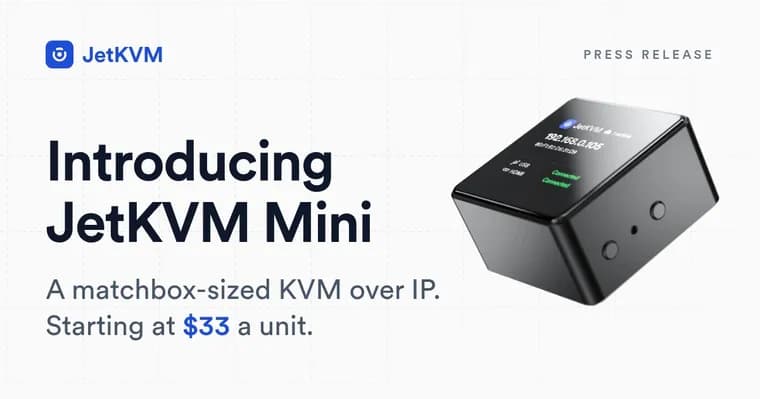
JetKVM has announced JetKVM Mini, a matchbox-sized remote KVM (keyboard, video, mouse) device that comes in two versions: a wired model, JetKVM Mini, with an RJ45 Ethernet port for $39, and a wireless model, JetKVM Mini W, with 2.4 and 5 GHz radios for $42. Bought in packs of three, the per-unit price drops to $33 for the wired model and $36 for the wireless one. Both ship October 26, 2026 through JetKVM's authorized resellers, priced in USD MSRP.
The case is aluminium, 42 x 42 x 23 mm (1.7 x 1.7 x 0.9 in), about the size of a matchbox. Rather than trim down the original JetKVM, which runs Linux, JetKVM rebuilt the device around an ESP32-P4X microcontroller with a hardware H.264 encoder, removing the separate DRAM and eMMC a Linux system needs. The Mini W adds an ESP32-C5 chip for wireless: IEEE 802.11a/b/g/n/ac/ax on 2.4 and 5 GHz for networking, Bluetooth LE for setup, and IEEE 802.15.4 for Zigbee and Thread. Wireless setup runs over Bluetooth from a phone or laptop browser: pick a network and enter the password.
On the hardware side, the Mini captures video natively at 1080p at 30 fps or 720p at 60 fps, encoded on the chip and streamed over WebRTC to the browser; with JetKVM's separate OS Services running on the target machine, capture can go up to 4K. It has two USB ports: one connects to the target computer at USB 2.0 High Speed (480 Mbps), presenting keyboard, mouse and virtual media while drawing power from the host; the other is a general-purpose port at USB 2.0 Full Speed (12 Mbps), used for extensions (ATX, DC power and serial extensions are being reworked to use standard USB) or, with external power, as a USB host for other devices. Virtual media loads from a TF card in a side slot.
The firmware has been rewritten for the ESP32-P4X and will be open source from day one. It runs the same protocols as the original JetKVM, so the existing web interface and cloud service carry over unchanged: keyboard and mouse control, text paste, keyboard layouts, virtual media from an ISO, JetKVM Cloud for remote access, Wake-on-LAN, MQTT and Home Assistant integration, OIDC login, and over-the-air updates with automatic rollback. The device also gets access to JetKVM's separate OS Services, due in the next few weeks, which add a shared clipboard, a guest terminal and file transfer alongside the higher-resolution capture. Secure boot is built in: a digest of JetKVM's public signing key is preinstalled in the chip's eFuse, so an owner can lock the Mini to JetKVM-signed firmware with a single setting.
Key facts
- JetKVM Mini (wired, Ethernet) costs $39 single-unit or $33 per unit in a three-pack; JetKVM Mini W (wireless) costs $42 single-unit or $36 per unit in a three-pack.
- Both models go on sale October 26, 2026 through JetKVM's authorized resellers, priced as MSRP in USD.
- The aluminium case measures 42 x 42 x 23 mm (1.7 x 1.7 x 0.9 in), about the size of a matchbox.
- The device is built around an ESP32-P4X microcontroller with a hardware H.264 encoder, replacing the Linux-based architecture of the original JetKVM; the Mini W adds an ESP32-C5 for Wi-Fi, Bluetooth LE and Zigbee/Thread radio support.
- Native video capture runs at 1080p at 30 fps or 720p at 60 fps, rising to 4K when paired with JetKVM's separate OS Services, due in the next few weeks.
Why it matters
Remote KVM access, the ability to see and control a computer's screen, keyboard and mouse from outside it, has traditionally meant either expensive rack-mount hardware or a Raspberry Pi project. JetKVM Mini pushes the entry price down to $33 per unit while keeping the full feature set of the company's original device: native video capture, virtual media, cloud access and open firmware. That combination, done in a case the size of a matchbox, is the story rather than any single spec.
Who it affects
The device targets people who manage more than one computer remotely: homelab operators, small businesses running a handful of servers, and anyone who wants out-of-band access to a machine that has crashed or lost network connectivity. The wireless Mini W is aimed specifically at machines a cable cannot reach, such as a PC in another room, a box under a TV, or a rack with no free switch ports.
How to use it
Setup for the wired JetKVM Mini follows the same steps as the original JetKVM: connect Ethernet, video and a USB cable to the target computer, read the device's IP address off its built-in display, and open that address in a browser. The Mini W instead pairs over Bluetooth from a phone or laptop browser, where the user selects a Wi-Fi network and enters its password. Once connected, both models expose the same web interface as the original JetKVM, including virtual media loaded from an ISO on a TF card, JetKVM Cloud for access from outside the local network, Wake-on-LAN, MQTT and Home Assistant integration, and OIDC login.
How solid is it
The announcement comes directly from JetKVM's own blog post, with specific prices, dimensions, chip names and a firm release date, which gives the retelling concrete facts to check against. What is not yet verifiable from the announcement is real-world performance: how the ESP32-P4X handles video encoding under load, how reliable the Bluetooth pairing flow is in practice, and whether the promised open-source firmware and secure-boot lock hold up once independent users get hardware in hand after the October 26 launch.
Risks and caveats
The source does not name an individual engineer, executive or founder behind the announcement, speaking throughout only as "we." It gives no price or firm release date for the separate OS Services beyond "the next few weeks," no weight figures for either model, and no direct price or spec comparison to the original, larger JetKVM beyond the general claim that the Mini is "more affordable." Whether tax or shipping are included in the listed MSRP is also not stated.
“The Mini isn't a stripped-down JetKVM. It's a JetKVM re-engineered around the things a KVM needs to do well: capture video, control keyboard and mouse, mount virtual media, and stay reachable when the machine it manages is not.”
— JetKVM