Nextcloud ships free Office Desktop app built on Euro-Office
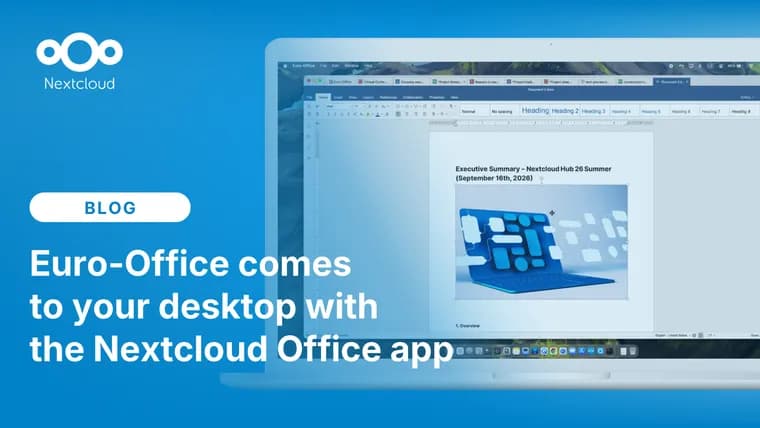
Nextcloud has announced that the ready-to-use version of the Nextcloud Office Desktop app is available for download. The app is powered by Euro-Office, which Nextcloud describes as a sovereign collaborative office suite developed and governed in Europe. The first production-ready version of Euro-Office came out on June 9, 2026, and Nextcloud announced the desktop app with Nextcloud Hub 26 Summer.
Nextcloud calls the app a free and open source office suite for Windows, macOS and Linux. It has editors for text documents, spreadsheets, presentations and PDFs, and the company claims high compatibility with Microsoft Office formats (DOCX, XLSX, PPTX) and open formats (ODT, ODS, ODP). According to the announcement, it includes the features of Nextcloud Office in the browser and adds the benefits of working on a computer.
Files can be edited locally without an internet connection, so users keep access to them and can go on working when their connection or online tools go down. Users decide which files stay on the computer and which go to the cloud. To reach online files, they click "+" in the "Clouds" section of the Home tab, choose "Nextcloud", enter the URL of their instance and log in. One app can connect to more than one instance, and a connection to Nextcloud Hub allows a team to edit files together in real time.
The app uses the fonts installed on the machine, including corporate fonts and operating system defaults such as Microsoft fonts on Windows. Users can add custom fonts without involving Nextcloud admins, although collaborators who lack a font will see a fallback in their version of the file. Documents, spreadsheets and presentations can be signed digitally through the Protection tab, which requires a digital certificate. The same tab can set a file password or limit others to commenting, filling in forms, or editing with tracked changes only.
Downloads are on Nextcloud's official installation page. The company lists x64 and ARM64 builds for Windows, .deb (Debian, Ubuntu) and .rpm (Fedora) packages for Linux, and an Apple Silicon version for macOS. Unsigned builds of the Euro-Office desktop app are also available, and it can be built from source using instructions on GitHub. Nextcloud invites bug reports, feature ideas, translations and pull requests, and asks that contributions stay compatible with the project's AGPL v3 license.
Key facts
- The ready-to-use Nextcloud Office Desktop app, powered by Euro-Office, is available to download as a free and open source suite.
- It edits text documents, spreadsheets, presentations and PDFs, with claimed high compatibility with DOCX, XLSX, PPTX, ODT, ODS and ODP.
- It works offline and can connect to more than one Nextcloud instance, with real-time team editing through Nextcloud Hub.
- Builds are listed for Windows (x64, ARM64), Linux (.deb and .rpm) and macOS on Apple Silicon.
- Digital signing requires a certificate, and contributions to the project should be compatible with AGPL v3.
Why it matters
Nextcloud's office tools now come in a ready-to-use desktop form as well as in the browser. Users can switch between Nextcloud Hub in the browser and the app on their computer, and Nextcloud promises the same experience on Windows, macOS and Linux. Offline editing means work can continue when the internet or online tools fail. The underlying suite, Euro-Office, is presented as sovereign software developed and governed in Europe, with its first production-ready release dated June 9, 2026.
Who it affects
People who want a free, open source office suite on Windows, Linux or an Apple Silicon Mac can use it for local files. Nextcloud users gain a desktop route to their online files, including those on several instances at once, and can co-edit them with their team. Anyone who relies on corporate or custom fonts can use the ones installed on their machine. Developers and translators are invited to contribute to Euro-Office.
How to use it
Download the latest version from Nextcloud's official installation page. The app is free. Windows builds cover x64 and ARM64, Linux packages are .deb (Debian, Ubuntu) and .rpm (Fedora), and the macOS listing is for Apple Silicon.
To connect a cloud account, click "+" in the "Clouds" section of the Home tab, choose "Nextcloud", specify the instance URL and log in. To sign a file, open the Protection tab and use the Signature feature. You will need a digital certificate, either from your IT team at work or, for personal use, from a trusted provider; the post points to a list of providers approved in the EU. Those who prefer to build the app themselves can follow the instructions on GitHub, where issues can also be reported.
How solid is it
This is a first-party announcement from Nextcloud, the publisher of the app, so the descriptions of its features and quality are the company's own. The availability of the download and the list of platforms are concrete. The compatibility claim is less firm: no benchmarks or measurements of Microsoft Office format compatibility are given, only the promise of "high compatibility". No user numbers, customers or third-party reactions about the app are given either.
Risks and caveats
Fonts can differ between collaborators: if someone does not have the font you used, they will see a fallback font in their version of the file. Signing is not available out of the box without a digital certificate. Real-time team editing depends on connecting the app to Nextcloud Hub. Test your own important DOCX, XLSX and PPTX files before relying on the compatibility claim. Nextcloud says it wants to keep improving the app and asks users to report any issues they find to its engineering team on GitHub.
“You decide which files stay on your computer and which go to the cloud.”
— Nextcloud, in its announcement