OpenCode Browse lets AI agents use your real logged-in browser
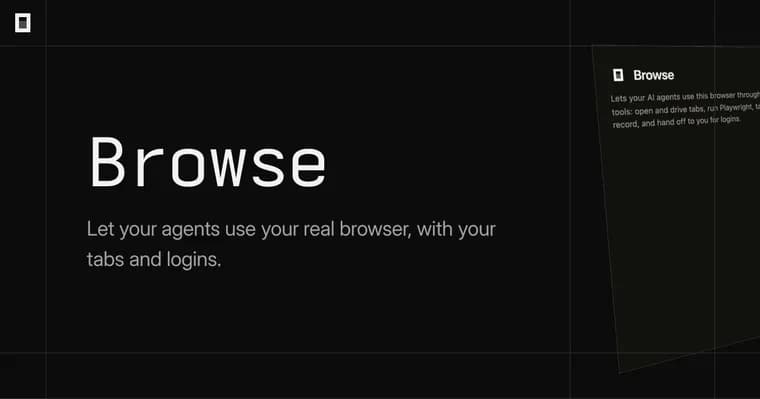
OpenCode (opencode.ai) has published a product page for Browse, which it describes as an MCP server and a Chromium extension that let your agents use your real browser, with your tabs, your logins and your extensions.
Agents open tabs in the background, grouped out of the user's way, and can read pages, click, type, take screenshots and record tabs. The page says agent tabs open in collapsed groups. Network traffic can be captured too: the page lists screenshots, tab recordings and network traffic under "Record and capture".
The central idea is handoff. When a step needs a person, such as a login, a 2FA prompt or a payment, the agent hands the tab back to the user. The user does that step and clicks Continue, and the agent carries on. A second control runs the other way: the user can click the toolbar button to lend an agent a tab they already have open.
Because the agent works in the browser the user is already signed into, the page says agents use the sites you're already signed into, with no keys and no setup. An "Allowed sites" setting lets the user keep an agent's tab on the sites they name.
The page lists these browsers: Chrome, Edge, Brave, Arc, Helium, Vivaldi, Opera and Chromium. Browse works with any MCP client; the page names OpenCode, Claude Code, Cursor, Codex and Zed, and "many more".
Installation starts with the Chrome extension, which walks the user through the remaining steps. The page says direct CLI installation should not be needed, but offers four routes: a curl script (curl -fsSL https://opencode.ai/browse/install | bash), a PowerShell command (irm https://opencode.ai/browse/install.ps1 | iex), npm (npm install -g @opencode/browse && browse install) and bun (bun add -g @opencode/browse && browse install). The page also links to other OpenCode projects: Hex (on-device voice dictation for any app), OpenTunnel (public HTTPS URLs for local apps) and OpenTUI (a library for terminal user interfaces).
Key facts
- Browse is an MCP server plus a Chromium extension that lets agents use the user's real browser, including tabs, logins and extensions.
- Agents work in background tabs in collapsed groups and can read pages, click, type, take screenshots, record tabs and capture network traffic.
- For a login, a 2FA prompt or a payment, the agent hands the tab back; the user clicks Continue to let it proceed.
- Listed browsers: Chrome, Edge, Brave, Arc, Helium, Vivaldi, Opera and Chromium. Works with any MCP client, including OpenCode, Claude Code, Cursor, Codex and Zed.
- An "Allowed sites" setting keeps an agent's tab on the sites the user names.
Why it matters
Browse puts the agent in the browser the user already uses, so it can reach sites the user is signed into without API keys or setup, according to the page. The handoff step is how it deals with the parts that need a human, such as a login, a 2FA prompt or a payment.
Who it affects
People who run coding or general agents through an MCP client such as OpenCode, Claude Code, Cursor, Codex or Zed, and who use a Chromium-based browser (Chrome, Edge, Brave, Arc, Helium, Vivaldi, Opera or Chromium).
How to use it
Install the Chrome extension first; it walks you through the rest of the steps. If you want the CLI directly, the page offers curl, PowerShell, npm and bun commands, though it says you should not need them. To give an agent a tab you already have open, click the toolbar button. To limit where an agent goes, use the Allowed sites setting. When the agent hands a tab back for a login or 2FA, finish that step and click Continue.
How solid is it
This is a first-party product page, so every capability described is the publisher's own claim. The page gives no benchmarks, user counts or performance figures, and no release date, version number, pricing or licence. It does not say whether Browse is open source.
Risks and caveats
Giving an agent access to a browser with live logins is a sensitive grant. The page describes only the Allowed sites setting and the handoff step as controls, and does not describe any further security model. Only Chromium-based browsers are listed; the page does not say whether Firefox or Safari are supported.