Microsoft makes MXC execution containers for AI agents generally available
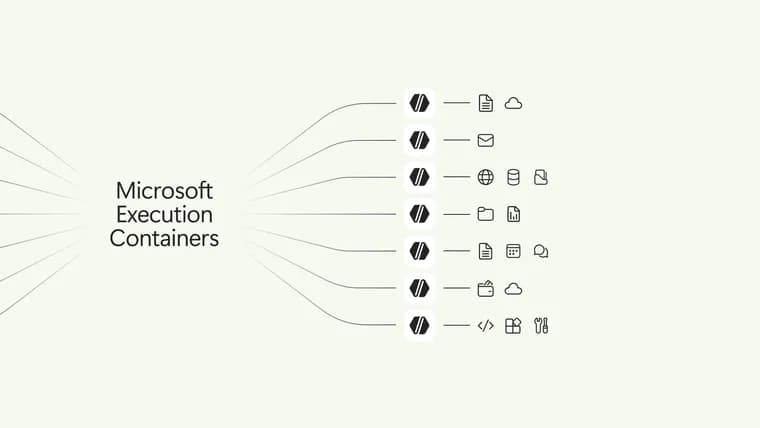
Microsoft has announced that Microsoft Execution Containers (MXC) is now generally available. MXC is a policy-driven execution layer for untrusted code or dynamically generated workloads, and Microsoft presents it as the containment layer of its Windows work on running and managing AI agents more securely. That work has three parts: containment (limiting what an agent can access and do), identity (distinguishing an agent's activity from a person's) and manageability (giving organizations tools to govern access and monitor agent activity). MXC is the part that ships today. Windows 365 support for MXC is also generally available, so developers can run agents on Cloud PCs.
The premise in Microsoft's post is that customers otherwise face a bad choice: give agents unrestricted access and hope nothing goes wrong, or block them and lose the productivity. The post argues that an agent cannot be its own security authority and must run inside a boundary defined by the developer or organization and enforced independently of the agent. Its example is a coding agent asked to update a website. It needs read and write access to the repository and the build tools, and may need to read production server configuration, but should not modify it. Without a boundary the agent might decide that editing the configuration is the fastest route and break the production site. With containment, the environment is designed to prevent that operation regardless of what the model, generated code, plugin or tool decides to do.
Developers declare the resources a workload needs, such as files and network destinations, and MXC enforces the resulting boundary with the appropriate container. The policy stays outside the workload's control, so the agent or generated code cannot grant itself more access. MXC can contain model-generated output, plugins, tools, the agent harness or the whole agent. Developers work with a unified JSON configuration schema and a multi-language SDK, and MXC maps the requested controls to the selected backends on Windows, macOS or Linux. The backends offer different levels of isolation and have distinct security properties, so workloads should be evaluated for fit. Only Windows supports a session container, which runs an agent on the user's device in a separate, OS-isolated session with its own local agent identity and isolated desktop, clipboard, UI and input boundaries.
For the website scenario, Microsoft says a policy could give the coding agent read and write access to the local source repository and tools such as Git, while blocking personal locations such as the Documents folder, inbound and outbound network connections, and the interactive desktop. It suggests agent developers use their favorite coding agent to integrate the MXC SDK and draft an initial workload policy, then review, test and refine it.
MXC has three operating modes. In Enforcement mode the policy is applied without an activity report: granted operations proceed and operations outside the boundary are restricted. In Learning mode MXC still enforces the boundary, and any operation not granted is blocked and recorded in a JSON activity report, which lets developers or IT reproduce containment failures and see what the workload tried to reach. In Permissive mode MXC records access the policy would have denied but lets the operation continue, which helps during policy authoring; it does not bypass other applicable operating system or organizational restrictions. Activity reports are produced only on Windows, by MXC process containers.
Organizations can layer their own constraints on top through management policy such as Microsoft Intune, so the same agent can run within different enterprise boundaries. Intune policy for managing MXC process containers on Windows 11 will soon be available, as will a way for Microsoft Entra to distinguish agent activity from user activity in Microsoft Agent 365 and an extension of Agent 365 controls to local agents on the device. Microsoft says this would let security teams act against a compromised agent without blocking the employee. Agent developers are told to design for boundaries that may be stricter than the default: if policy blocks a resource, the agent should explain that the task could not be completed, ask for an appropriate user or administrator action, or choose a safe alternative, and should not silently fail.
On adoption, Microsoft says NVIDIA has integrated OpenShell into MXC, adding policy controls for access to files and inference services, advanced network controls, credential management and, for enterprises, OCSF auditing. GitHub Copilot, OpenClaw, OpenAI Codex, Replit, LM Studio and Unsloth AI already support MXC. Anthropic Claude Code, Box, Egnyte, Heidi Health, Hermes Agent by Nous Research, Manus, Perplexity, Raycast and Simular, among others, will release support. The SDK, configuration schema, documentation and samples are in the MXC repository on GitHub.
Key facts
- Microsoft Execution Containers (MXC) is now generally available as the containment layer of Microsoft's Windows agent-security work; Windows 365 support is also generally available.
- Developers declare the files and network destinations a workload needs in a JSON schema; MXC enforces the boundary outside the agent's control, across Windows, macOS and Linux backends.
- Three modes: Enforcement (policy applied, no activity report), Learning (boundary enforced, blocked operations logged to a JSON report) and Permissive (would-be denials logged but allowed).
- GitHub Copilot, OpenClaw, OpenAI Codex, Replit, LM Studio and Unsloth AI already support MXC; Anthropic Claude Code and others are named as coming.
- Intune policy, Entra agent identity and Agent 365 controls for local agents are described as coming soon, not yet shipped.
Why it matters
Agents that read files, call networks and run tools make a user's full authority a risky default. Microsoft's answer is to move the boundary out of the agent and into the platform: a policy the agent or its generated code cannot rewrite, enforced by an OS-level container. The design intent is that an out-of-policy operation is prevented regardless of what the model, plugin or tool decides. Shipping this as a general-availability layer, with several well-known coding agents already integrated, makes it a candidate common mechanism rather than a per-product sandbox.
Who it affects
Agent developers, who integrate the MXC SDK and write workload policies. IT administrators and security teams, who are meant to layer organizational policy on top through Intune and, later, Agent 365. Teams running agents on Cloud PCs through Windows 365. Users of GitHub Copilot, OpenClaw, OpenAI Codex, Replit, LM Studio and Unsloth AI, which already support MXC, and of the agents Microsoft names as releasing support later, such as Anthropic Claude Code, Perplexity and Manus.
How to use it
Start from the MXC SDK, configuration schema, documentation and samples in the MXC repository on GitHub. Microsoft suggests having your favorite coding agent integrate the SDK and draft an initial workload policy, then reviewing, testing and refining it. For policy authoring, Learning mode blocks ungranted operations and writes a JSON activity report, while Permissive mode records would-be denials and lets the work finish; both help build a least-privilege policy before moving to Enforcement. Design the agent to explain a blocked task, request access or pick a safe alternative rather than fail silently. The article states no pricing or licensing terms.
How solid is it
This is Microsoft's own announcement on its Windows developer blog, so the claims about capability and partner support are the vendor's. The article does not mention any independent security audit or testing of MXC, and it gives no performance overhead, latency or benchmark figures. The wording is also careful: the environment is "designed to" prevent out-of-policy operations, which is design intent rather than a guarantee. The scenario of an agent breaking a production site is a hypothetical example, not a described incident.
Risks and caveats
Each containment backend has distinct security properties, and Microsoft says workloads should be evaluated for fit, so the protection depends on the backend chosen. Session containers and activity reports are Windows-only. Permissive mode lets operations the policy would deny continue, so it is a policy-authoring aid, not protection. Policies can also block things a workload legitimately needs on first use, so agents need to handle denials gracefully. Intune management policy, Entra-based agent identity and Agent 365 controls for local agents are all described as coming soon with no timescale, and several named agents, including Anthropic Claude Code, are listed as future rather than current supporters.
“An agent cannot be its own security authority.”
— Microsoft, Windows developer blog