RemoveMacAI turns off Apple Intelligence on macOS 27 and deletes its models
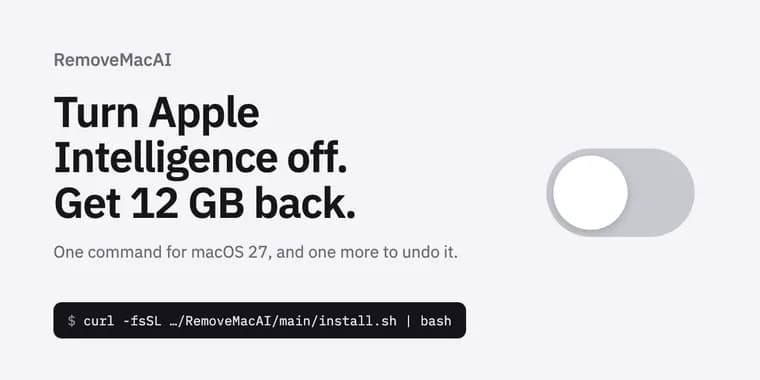
According to its README, macOS 27 no longer has a single switch for Apple Intelligence, and the models stay on disk even after the features are turned off. RemoveMacAI, a project in the GitHub repository omlahore/RemoveMacAI, is built to close that gap: it turns the features off, removes the models and prevents macOS from downloading them again. All changes can be reverted.
Installation is a one-line curl command that pipes the project's install.sh into bash. The script downloads the latest release, verifies its SHA-256 checksum and runs it from a temporary directory; nothing is installed. A Homebrew route also exists (brew install omlahore/tap/removemacai, then run removemacai). The README says every release is built from its tag by GitHub Actions and carries a build provenance attestation, and gives a gh attestation verify command for checking that a download came from the repository's source. The tool is for Apple silicon.
When run, RemoveMacAI shows the current state and asks for confirmation. It then opens System Settings to install a configuration profile, which macOS requires the user to approve, and removes the models.
The README lists what gets switched off: Siri (including Hey Siri and the menu bar icon), Writing Tools, Genmoji, Image Playground, the ChatGPT extension, summaries in Mail, Messages, Safari, Notes and notifications, Mail smart replies, inline text predictions, Spatial Photos, Photos Clean Up and Xcode predictive code completion. The models removed are the Apple Intelligence foundation models and the models for image generation and Genmoji, Spatial Photos, Photos Clean Up and Xcode code completion.
How it works, per the README: a configuration profile applies Apple's restriction keys for Apple Intelligence and forces the settings that have no restriction key. Models are removed through Apple's asset service. System Integrity Protection stays enabled and no files under /System are modified directly. The profile also redirects the download of each removed model to a closed local port, so macOS does not download it again. Removing the profile restores the previous settings, and macOS downloads the models again when a feature needs them.
The README answers several practical questions. Dictation still works, because it is a separate setting and its speech models are not removed. macOS updates do not undo the changes: the profile, including the download block, persists across updates. After the models are deleted, System Settings > General > Storage may still list Apple Intelligence, because Apple's asset service releases the models right away but macOS deletes the files on its own schedule. A process named Siri may keep running because in macOS 27 the Spotlight window runs under that name; some system services also stay loaded and are protected by System Integrity Protection. What stops working: the features above, apps that use Apple's on-device models (the Foundation Models framework and the Use Model action in Shortcuts), Visual Intelligence and natural-language editing in Calendar.
To revert, run the installer with the revert argument (curl ... | bash -s revert) or run removemacai revert, then brew uninstall removemacai if it was installed with Homebrew. The README states that RemoveMacAI makes no network requests and collects no data, and that it is built on pared, a working tool by 4evy that first mapped the asset service, the model sets and several of the settings keys.
Key facts
- RemoveMacAI turns off Apple Intelligence features on macOS 27, removes the downloaded models and blocks macOS from downloading them again; the README says all changes can be reverted.
- It works by installing a configuration profile that the user must approve in System Settings, and by removing models through Apple's asset service while System Integrity Protection stays enabled.
- Switched off: Siri, Writing Tools, Genmoji, Image Playground, the ChatGPT extension, summaries, Mail smart replies, inline predictions, Spatial Photos, Photos Clean Up and Xcode predictive code completion.
- Install with a one-line curl script (SHA-256 verified, run from a temporary directory) or via Homebrew; Apple silicon only; revert with removemacai revert.
- Dictation keeps working and macOS updates do not undo the changes, but apps using Apple's on-device models, Visual Intelligence and natural-language editing in Calendar stop working.
Why it matters
The README's premise is that macOS 27 has no single switch for Apple Intelligence and leaves its models on disk after features are turned off. RemoveMacAI is a community answer to that: one tool that both disables the features and deletes the models. It builds on pared by 4evy, which first mapped the asset service, the model sets and several settings keys.
Who it affects
Owners of Apple silicon Macs running macOS 27 who want Apple Intelligence off and its model files gone. People who rely on apps using Apple's on-device models (the Foundation Models framework or the Use Model action in Shortcuts), Visual Intelligence or natural-language editing in Calendar should know those stop working after the tool runs.
How to use it
Run the one-line curl installer, or install with Homebrew (brew install omlahore/tap/removemacai) and run removemacai. The tool shows the current state and asks for confirmation, then opens System Settings so you can approve its configuration profile. To check a download's origin, use gh attestation verify removemacai-darwin-arm64.tar.gz -R omlahore/RemoveMacAI. To undo, run removemacai revert (or the installer with the revert argument), then brew uninstall removemacai if installed through Homebrew. The README does not state a price or licence for the tool itself; it points to THIRD-PARTY-NOTICES.md for the licence of pared.
How solid is it
Everything here comes from the project's own README. It describes a checksum-verified installer, releases built by GitHub Actions with build provenance attestations, and a claim that the tool makes no network requests and collects no data. The README gives no user numbers, stars or independent test results. No amount of disk space is given for the models or the space recovered. There is no Apple response or comment.
Risks and caveats
The install command pipes a remote script into bash, so the checksum and attestation checks matter. The tool needs approval of a configuration profile, which persists across macOS updates until removed. Removing the models is not permanent: macOS downloads them again when a feature needs them after the profile is removed. Storage settings may keep counting Apple Intelligence for a while because macOS deletes the files on its own schedule. A process named Siri can still run, since the Spotlight window uses that name in macOS 27, and some protected system services stay loaded.
“macOS 27 no longer has a single switch for Apple Intelligence, and its models stay on disk after the features are turned off.”
— RemoveMacAI README